
Configure your server
Almost nothing is configured in the plugin’s config file. Your settings live in the dashboard, and the plugin collects them automatically.
Open your server and look under Configure in the left-hand menu:
| Menu entry | What lives there |
|---|---|
| Listing & Discord | Your server name, public page and vanity link, Discord, and the message-placeholder list |
| Plugin behaviour | Messaging, connect-time security, and in-game admin |
| Gameplay mods | Optional changes to how the game plays, one page per mod |
| Rust server file | Your server’s own server.cfg — see Server config |
| Wipe | Your wipe schedule, automatic wiping, and past wipes — see wiping your server |
| Integrations | The SFTP or game-panel details CerebRUST uses to reach your host (owner only) |
Each area has tabs across the top, and each tab is its own page — you can bookmark one, and refreshing keeps you where you were.
Your server name
Section titled “Your server name”Listing & Discord → General has a Server name field: a short name for the server, the one
you would say out loud. The full name from the Rust server browser — [EU] Thistle Monthly [1x|Max 8] — is a good listing and a mouthful in a chat line, so CerebRUST uses the short name for
{{server_name}}, in Discord and in the messages it sends players. Leave it empty and it uses the
full browser name, shown greyed out in the field. The same tab holds your public page settings and
moderation transparency.
Messaging
Section titled “Messaging”Everything your players see in chat.
Message prefix
Section titled “Message prefix”Every line the plugin sends in chat — periodic messages, the MOTD, alerts and your dashboard broadcasts — starts with a coloured tag and carries an avatar beside it. Both are yours to set under Plugin behaviour → Message prefix, with a live preview of a chat line as you type.
| Setting | Default | Notes |
|---|---|---|
| Prefix text | [CR] |
Up to 32 characters. Empty means no prefix at all |
| Prefix colour | #b7471f |
A hex colour. Empty uses the default |
| Avatar | the CerebRUST logo | Any SteamID64 — yours, your server’s Steam account. Empty uses the default |
Colour and size tags typed into the prefix text are removed, so the prefix can never restyle the message after it.
Session
Section titled “Session”| Setting | Default | Effect |
|---|---|---|
| Announce joiners | On | Broadcast when a player connects |
| Announce leavers | On | Broadcast when a player disconnects |
Periodic messages
Section titled “Periodic messages”Rotating server-wide lines, broadcast in order on each interval.
| Setting | Default | Notes |
|---|---|---|
| Interval | 5 minutes | Minutes between messages (1–1440) |
| Messages | one line | The lines to rotate through |
Every gameplay mod can add a line of its own — “Check the map for NPC bases to raid!” — so players know it is running. Tick Include in periodic messages on the mod’s page and edit the line there. It is sent after your own lines, on the same interval, and only while the mod is on. The Periodic messages tab lists them underneath your own, each linking to its mod.
Message of the day
Section titled “Message of the day”Sent to a player when they first wake up after joining.
| Setting | Default | Notes |
|---|---|---|
| Enabled | On | |
| Once per session | On | Send on first wake only, not on every respawn |
| Lines | A default banner | Supports {{player_count}} |
| Initial delay | 1 second | Delay before the first line |
Messages support Rust’s chat colour markup, so this works:
<color=#ffd700>══════════ WELCOME ══════════</color>Type <color=orange>/help</color> for commands.{{player_count}}Message placeholders
Section titled “Message placeholders”Type a placeholder into any message and CerebRUST swaps in the live value as it sends. Fields that
accept them show a {{ }} button you can pick from, and the full list is at
Listing & Discord → Message placeholders.
| Placeholder | Becomes | In-game | Discord |
|---|---|---|---|
{{player_count}} |
Players online right now | ✅ | ✅ |
{{players_max}} |
Your server’s slot count | ✅ | ✅ |
{{queued_players}} |
Players waiting in the join queue | ✅ | ✅ |
{{server_name}} |
Your server name, or the browser name if you set none | ✅ | ✅ |
{{server_time}} |
Real-world clock in your wipe timezone | ✅ | ✅ |
{{in_game_time}} |
The Rust world clock | ✅ | — |
{{time_until_wipe}} |
Time left until the predicted wipe | ✅ | ✅ |
{{next_wipe}} |
The date and time of the next predicted wipe | ✅ | ✅ |
{{wipe_cycle}} |
Weekly, Bi-weekly or Monthly | ✅ | ✅ |
{{cerebrust_url}} |
Link to your CerebRUST page (your vanity domain if set) | ✅ | ✅ |
{{discord_join_url}} |
Your Discord invite, set on the Discord page | ✅ | ✅ |
Placeholders work everywhere CerebRUST sends text: your MOTD, periodic messages, wipe milestones and countdowns, and broadcasts you send from the dashboard.
In Discord, {{time_until_wipe}} and {{next_wipe}} become native Discord timestamps, so they
render in each reader’s own timezone and keep counting down after the message is posted.
Wipe is its own menu entry, with three tabs — Schedule, Automation and History. CerebRUST predicts when you will next wipe and broadcasts countdowns — and, if you ask it to, runs the wipe itself. See wiping your server for the full picture; the settings on the Schedule tab are below.
| Setting | Default | Notes |
|---|---|---|
| Regular cycle | Weekly | Weekly, bi-weekly, or monthly (force wipes only) |
| Regular weekday | Thursday | 0 = Monday … 6 = Sunday. Ignored when monthly |
| Wipe hour | 19:00 | Local hour. Ignored when monthly |
| Timezone | Europe/London |
Any IANA timezone name |
| Hourly countdown | On | Broadcast a countdown every hour |
| Hourly countdown message | Wipe in {{time_until_wipe}}! |
|
| Pre-wipe milestones | 10 days, 1 week, wipe night | One-off broadcasts at set offsets |
Monthly force wipes are always predicted separately, on the first Thursday of each calendar month at 7pm Europe/London — regardless of your regular cycle, because calendar months are not 28 days.
Each milestone has an in-game broadcast and an optional Discord message, so you can word the two differently.
Gameplay mods
Section titled “Gameplay mods”Optional gameplay changes, every one off by default, each on its own page with a dot in the tab strip showing whether it is on. These are big enough to warrant their own page: Gameplay features.
Security — preflight checks
Section titled “Security — preflight checks”Automatic checks at connect time that kick players who fail them. Checks run server-side as CerebRUST enriches the player’s IP and Steam profile.
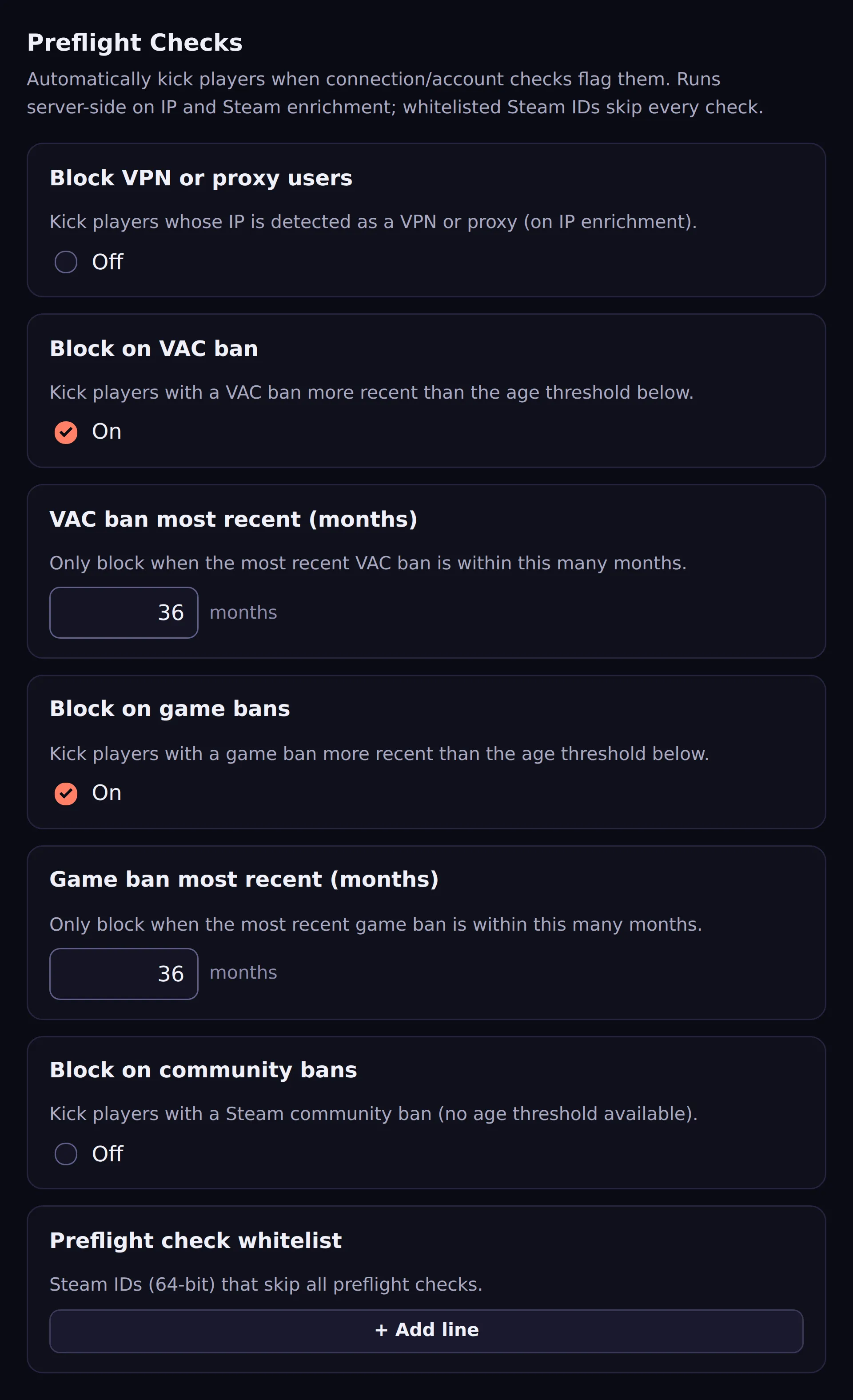
| Setting | Default | Effect |
|---|---|---|
| Block VPN or proxy users | Off | Kick when the IP is detected as a VPN or proxy |
| Block on VAC ban | On | Kick players with a recent VAC ban |
| VAC ban most recent (months) | 36 | Only block if the most recent VAC ban is this recent |
| Block on game bans | On | Kick players with a recent game ban |
| Game ban most recent (months) | 36 | As above, for game bans |
| Block on community bans | Off | Kick on a Steam community ban (no age threshold available) |
| Whitelist | empty | Steam IDs that skip every preflight check |
The whitelist is an escape hatch — put your own Steam ID in it while testing so you cannot lock yourself out.
Where settings actually live
Section titled “Where settings actually live”Your settings are stored by CerebRUST, not in your server’s files. The plugin caches a local copy
in oxide/config/Cerebrust.json under plugin_settings_cache.
Do not edit that cache by hand. It is overwritten from the dashboard on the next heartbeat, so hand edits are lost, and a malformed one just gets replaced. The dashboard is the source of truth.